
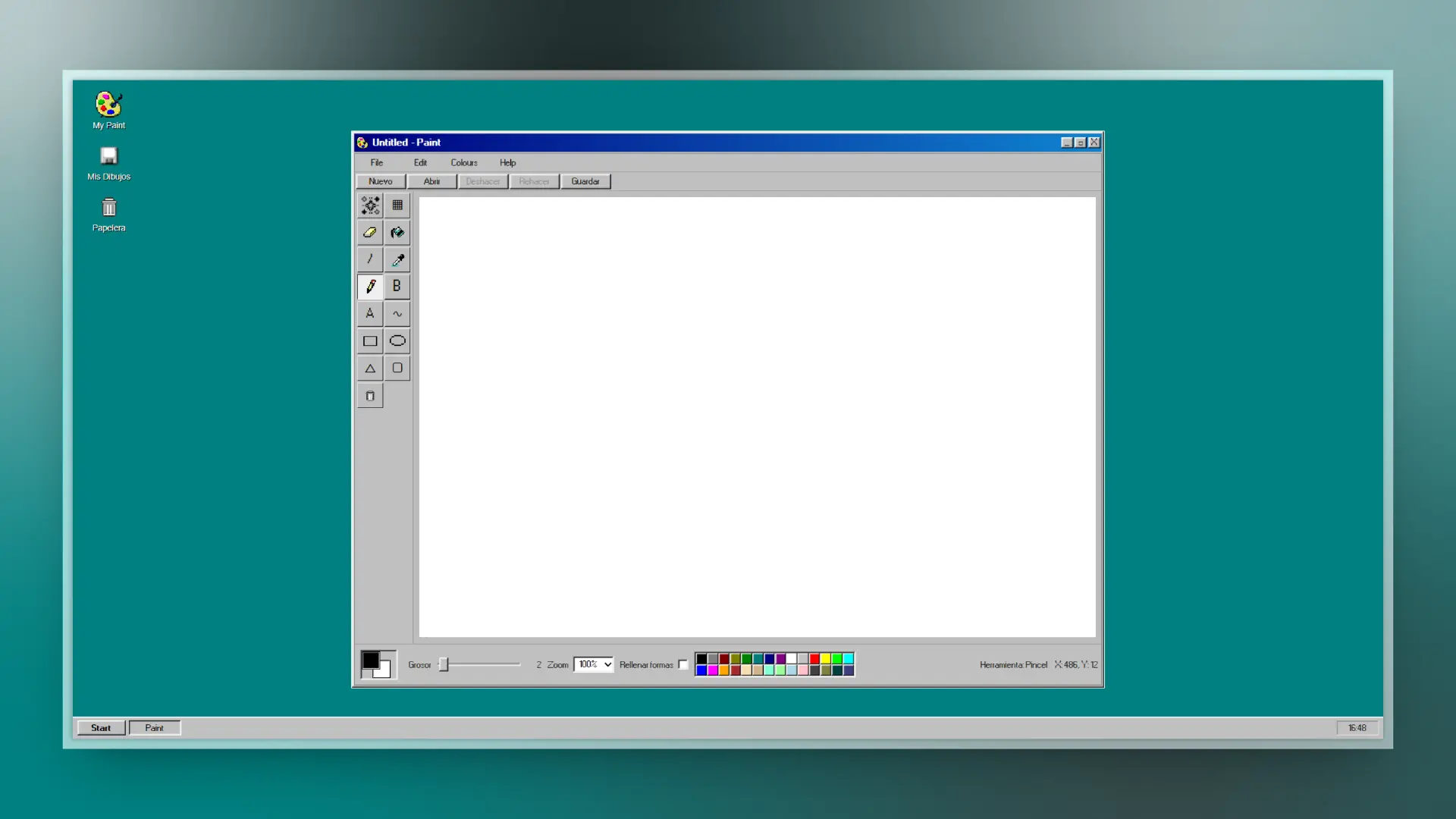
🎨 Description
Paint Win 95' recreates the classic Microsoft Paint experience with a retro UI and modern web behavior.
🔗 Live demo: https://paint-win-95-blond.vercel.app/
✨ Features
- Tools: pencil, brush, eraser, line, curve, rectangle, rounded rectangle, ellipse, polygon, fill, text, and selection tools.
- Classic Win95-like color palette with primary/secondary colors.
- Undo/redo history.
- Working zoom levels (100%, 200%, 400%).
- Open local images and export to PNG.
- Mouse, keyboard, and touch/stylus support (Pointer Events).
- Responsive layout for multiple screen sizes.
🚀 Usage
- Open the app in a modern browser.
- Select a tool from the left toolbar.
- Draw on the canvas.
- Adjust color, stroke width, and zoom.
- Save your drawing with Guardar.
⌨️ Keyboard Shortcuts
| Shortcut | Action |
|---|---|
Ctrl/Cmd + Z |
Undo |
Ctrl/Cmd + Y / Ctrl/Cmd + Shift + Z |
Redo |
Ctrl/Cmd + S |
Save PNG |
Ctrl/Cmd + O |
Open local image |
B |
Brush |
E |
Eraser |
L |
Line |
R |
Rectangle |
C |
Ellipse |
F |
Fill |
T |
Text |
S |
Rectangular selection |
X |
Swap colors |
🛠️ Scripts
| Script | Description |
|---|---|
npm run dev |
development server |
npm run build |
production build |
npm run preview |
preview production build locally |
npm run verify |
quick verification (build) |
🤝 Contributing
PRs are welcome and encouraged.
- Fork the repository.
- Create a branch (
feature/your-improvement). - Open a Pull Request with a clear change summary.
📌 Known Issues
- System-level EyeDropper depends on browser support.
📄 License
Released under MIT. See LICENSE.